
寫一個外掛
-
建立外掛。這會寫出
plugins/<name>.ts和它的測試,並把外掛列進roundtable.config.ts。終端機視窗 bunx roundtable add plugin hello -
編輯它。外掛是一個有名稱和
setup函式的物件,setup回傳它要新增的東西。 下面這個外掛給每個agent一個工具:import { definePlugin, defineTool } from "pi-roundtable";import { Type } from "typebox";export const hello = definePlugin({name: "hello",setup: () => ({tools: [defineTool({name: "hello_greet",description: "Greet someone by name. Call it when asked to say hello.",parameters: Type.Object({ who: Type.String() }),minTier: "member",run: ({ who }) => `Hello, ${who}!`,}),],}),}); -
測試它。
testPlugin執行外掛時不需要 Discord 或 PostgreSQL。import { expect, test } from "bun:test";import { testPlugin } from "pi-roundtable/testing";import { hello } from "./hello.ts";test("hello greets", async () => {const harness = await testPlugin(hello);expect(await harness.runTool("hello_greet", { who: "Ada" })).toBe("Hello, Ada!");await harness.stop();});終端機視窗 bun test -
重新啟動 bot。每個agent現在都能呼叫
hello_greet。終端機視窗 bunx roundtable start
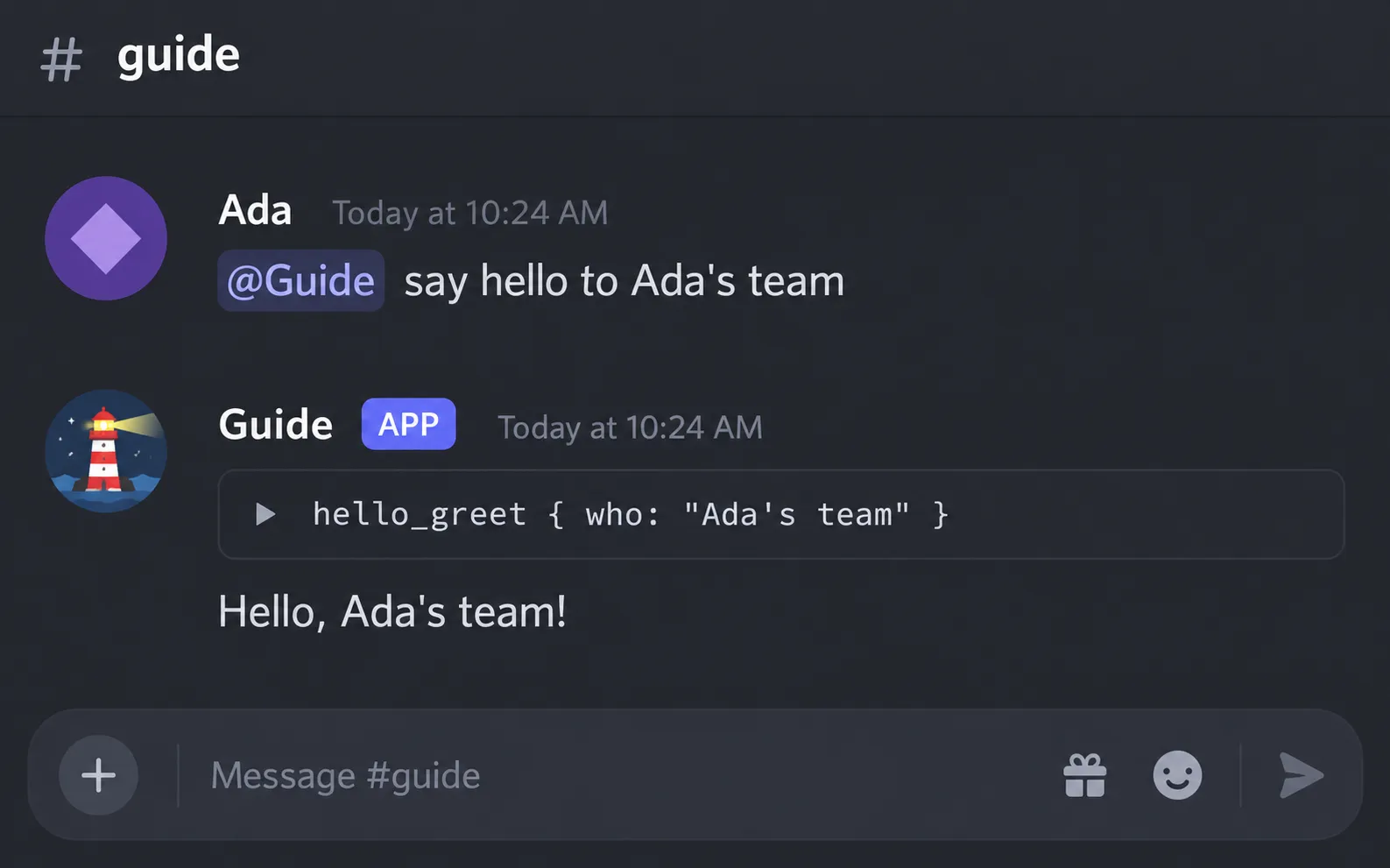
請 agent 用它,它就會呼叫這個工具:
外掛指南(英文)說明外掛能新增的每個部分(工具、提示詞區段、agent、事件、服務、migration、provider、斜線指令、HTTP 路由等等)、啟動與停止的順序,以及每一種啟動錯誤和它的修正方式。
指南裡的範例放在 examples/,測試套件會執行每一個範例。
pi-roundtable/kit 提供頻道認領(claim)、工具與呈現用的輔助函式。
pi-roundtable/discord 提供斜線指令註冊器、擁有者指令與面板的輔助函式,以及agent面板。
這兩個入口的版本規則與主入口相同:1.0 之前,不相容的變更會放在次版本(minor)發佈,並列在變更記錄(英文)中。