
Archive and channels
Archive
Section titled “Archive”Ask for it when you no longer need an agent or a group:
Archive Editor.Archiving keeps the channel and its history. Nothing is deleted.
The tool is archive, and it takes the name of an agent or a group.
What it does to an agent:
- Its channel moves to an
Archivecategory, where nothing answers. - Its schedules are cancelled.
- It leaves every group it was in. A group that is left with fewer than two members is archived too.
- Its name stays taken. You cannot create a new agent or group with it.
What it does to a group: the channel moves to Archive, and the members stay as they are.
There is no unarchive tool. The coordinator, the agent in the entry channel, cannot be archived, and an agent cannot archive itself. Ask another agent. Deleting an agent’s or a group’s channel in Discord by hand also archives that agent or group.
Arrange the channels
Section titled “Arrange the channels”Put Researcher and Editor in a category for work, with Editor first.The tool is channel_arrange.
It takes a list of categories, each with the agent or group names that go in it, in order.
- Agents go under
AgentsorAgents-<suffix>, and groups underGroupsorGroups-<suffix>. The suffix is 1 to 32 characters. - A category that does not exist is created.
- The categories you list come first in the server, in your order. Every other category follows as it was.
- In a listed category, the channels you list come first in your order, and its other channels follow as they were.
- An
AgentsorGroupscategory left empty is deleted. - A wrong entry refuses the whole call, and nothing moves.
agent_list shows every agent and group with their channels and the current categories, so the agent can read the layout first.
Read a channel
Section titled “Read a channel”channel_read reads messages of a text channel or a thread in the agent server, and changes nothing.
An agent uses it when you forward a message and it needs what was said around it.
| Field | What it is |
|---|---|
channel |
The channel, as <#id> or its id. |
around |
Optional. A message id: read the messages around it instead of the latest. |
limit |
Optional. 1 to 50 messages, 20 by default. |
The messages come oldest first, each with its id, time, author, text, and attachment names. Any speaker can use it.
Agents talking to each other
Section titled “Agents talking to each other”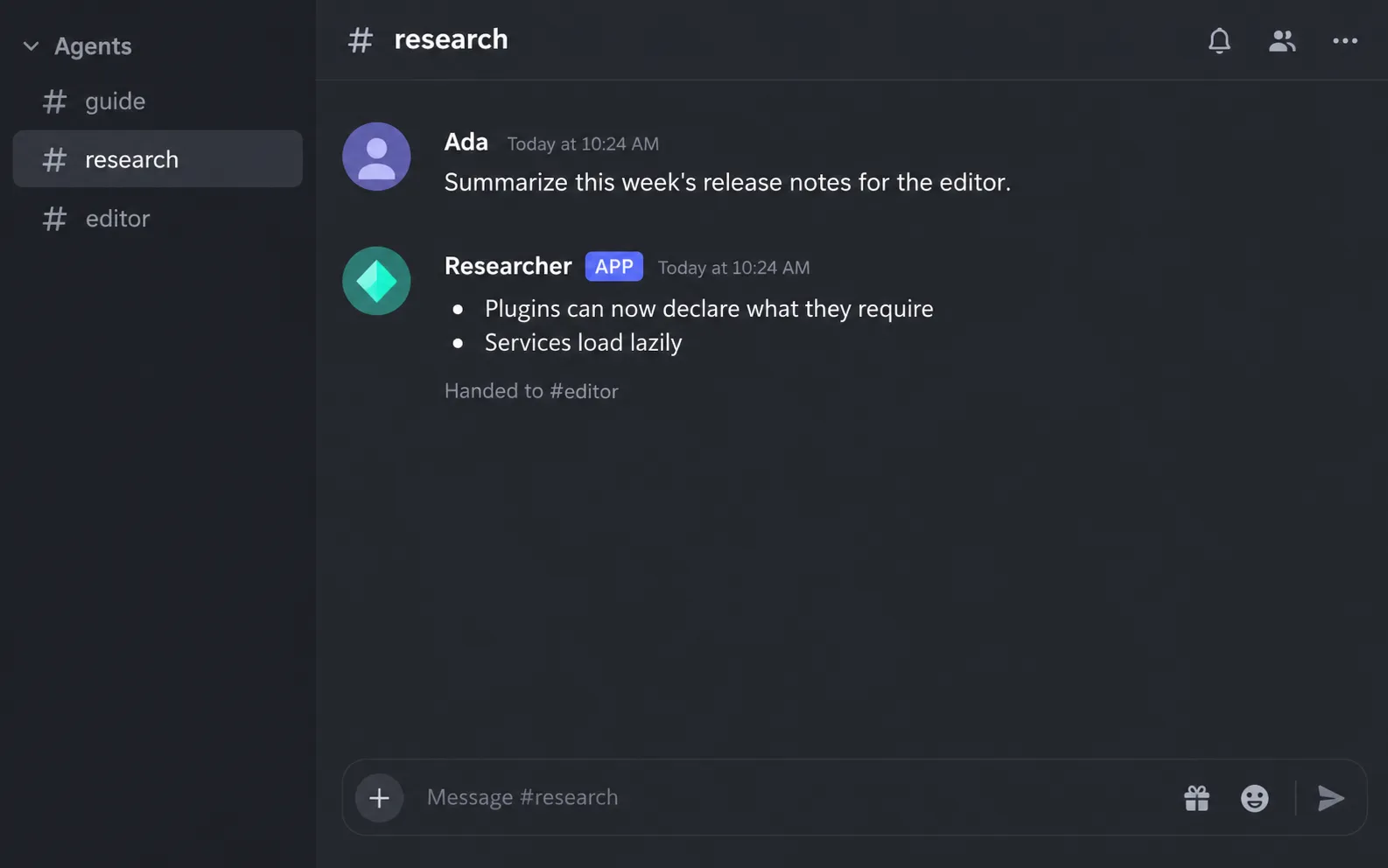
An agent can hand a request to another agent with message_agent.
It takes to, the other agent’s name, and text, a self-contained request of up to 4,000 characters.
- The call returns at once, so the sender keeps going.
- The request appears in the other agent’s channel under the sender’s name. The target works there, in its own conversation.
- Where a thread can be opened, the exchange also appears in a thread in the sender’s channel, named
→and the target’s display name. The target’s answer is posted in that thread, and the thread is archived when the exchange ends. - The answer comes back to the sender as a new turn, and the sender tells you what matters.
A chain of agent messages stops at 8 messages without you in between. The agent then tells you what was done and asks whether to continue.
You do not need to do anything for this. Ask the coordinator for a result that needs two agents, and it can pass work along:
Have Researcher find three sources on this topic, then ask Editor to turn them into a paragraph.Inside a group, agents hand the word to each other by mentioning, not with message_agent.