
Write a plugin
-
Create the plugin. This writes
plugins/<name>.tsand its test, and lists the plugin inroundtable.config.ts.Terminal window bunx roundtable add plugin hello -
Edit it. A plugin is an object with a name and a
setupfunction that returns what it adds. This one gives every agent a tool:import { definePlugin, defineTool } from "pi-roundtable";import { Type } from "typebox";export const hello = definePlugin({name: "hello",setup: () => ({tools: [defineTool({name: "hello_greet",description: "Greet someone by name. Call it when asked to say hello.",parameters: Type.Object({ who: Type.String() }),minTier: "member",run: ({ who }) => `Hello, ${who}!`,}),],}),}); -
Test it.
testPluginruns the plugin without Discord or PostgreSQL.import { expect, test } from "bun:test";import { testPlugin } from "pi-roundtable/testing";import { hello } from "./hello.ts";test("hello greets", async () => {const harness = await testPlugin(hello);expect(await harness.runTool("hello_greet", { who: "Ada" })).toBe("Hello, Ada!");await harness.stop();});Terminal window bun test -
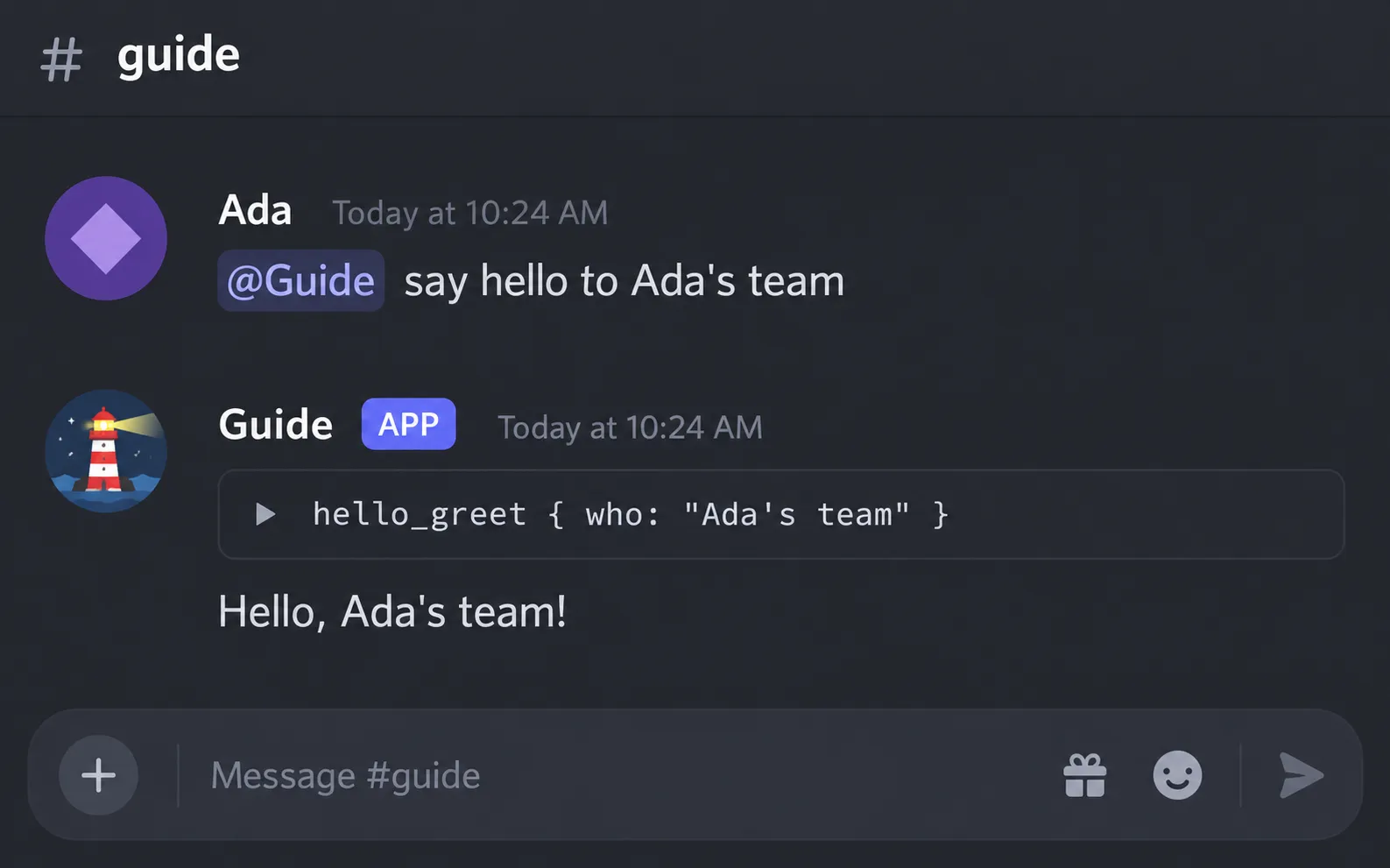
Restart the bot. Every agent can now call
hello_greet.Terminal window bunx roundtable start
Ask an agent to use it, and it calls the tool:
Go further
Section titled “Go further”The plugin guide explains every part a plugin can add (tools, prompt sections, agents, events, services, migrations, providers, slash commands, HTTP routes, and more), the order things start and stop in, and every startup error with its fix.
Its examples live in examples/, and the test suite runs each of them.
pi-roundtable/kit supplies claim, tool and presentation helpers.
pi-roundtable/discord supplies the slash-command registrar, owner-command and panel helpers, and the agent panel.
Both are versioned like the main entry: before 1.0 a breaking change comes in a minor release and is listed in the changelog.