
Create agents
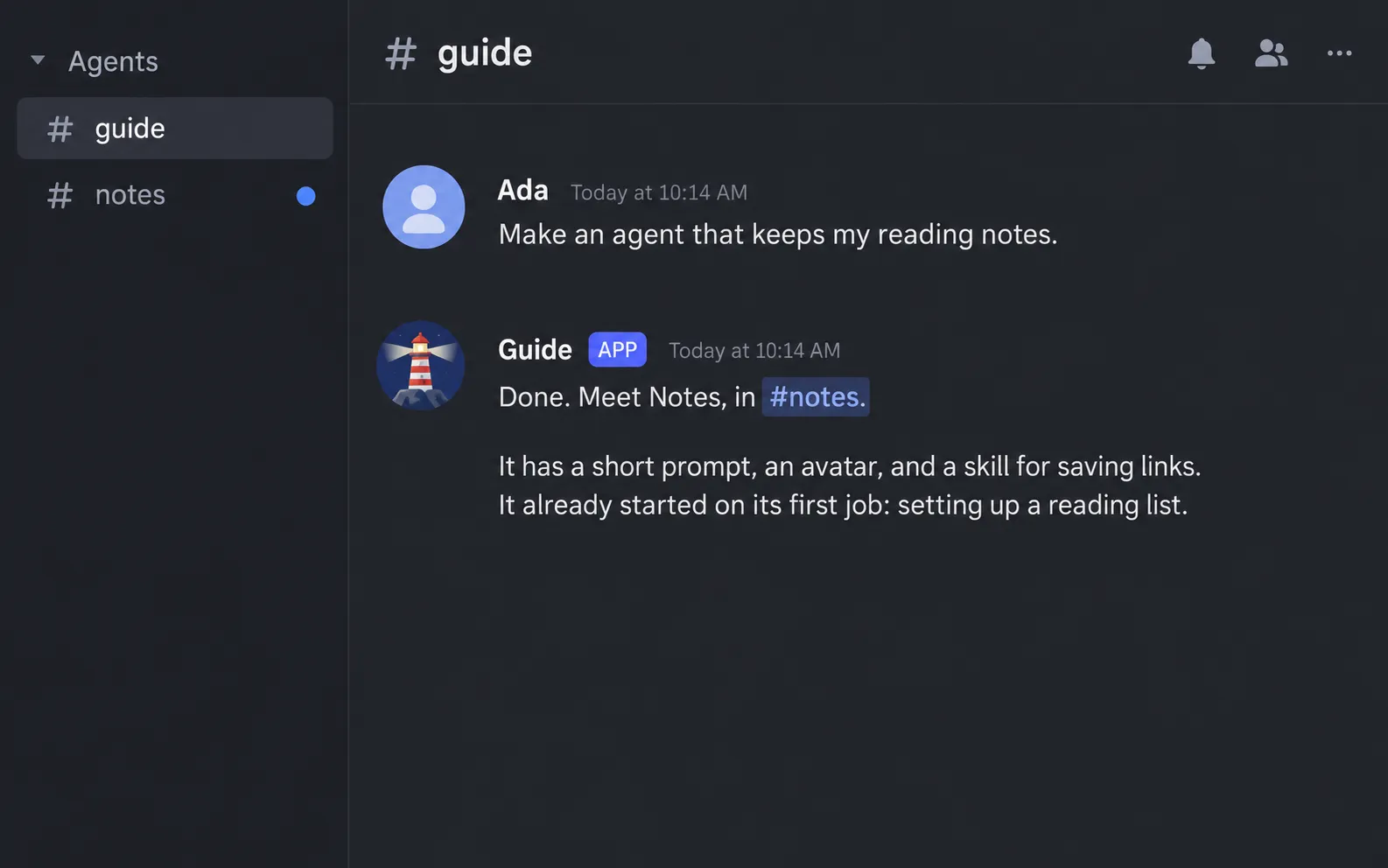
You create an agent by asking for one in a channel where an agent answers. There is no form and no config file to edit, and nothing restarts.
What to say
Section titled “What to say”Describe the job. The agent that answers picks the name, the prompt, and the rest.
Make me an agent called Researcher. It finds sources for my questions and reports in short bullet points.Add an editor agent that tightens my drafts without changing what I mean. Start by asking me what I am working on.Create Notes, an agent that keeps my reading notes, and put its channel in a category for reading.Only the owner and admins can create agents. The agent that answers can be any agent: it creates the new one in its own name.
What agent_create takes
Section titled “What agent_create takes”The tool is agent_create. The agent fills these in from your request:
| Field | What it is |
|---|---|
name |
The permanent name: 1 to 32 lowercase letters, digits, and dashes. It is also the channel name. It cannot contain discord or clyde, and no agent or group may share it, archived ones included. |
display_name |
The name shown on its messages, 1 to 32 characters, in any language. |
prompt |
Its role: the job, the sources, the limits, and how it reports. Up to 4,000 characters. |
avatar_prompt |
A description of its picture, up to 1,000 characters. Asked for only when an image provider is set up; see Status and avatars. |
task |
Its opening task, up to 4,000 characters, written so it makes sense on its own. |
category |
Optional. Where its channel goes: Agents, which is the default, or Agents-<suffix>. A missing category is created. |
skills |
Optional. Names of skills it carries, from the skill list. Only offered while the skills addon is on; see Skills and memory. |
What the new agent gets
Section titled “What the new agent gets”- A channel with its name, under the category you asked for.
- An avatar. It is drawn from the avatar prompt when an image provider fills the
imagesslot, and generated from the display name when none does. - Its prompt, which comes after the shared prompt every agent starts with.
- An opening task. It starts working in its channel at once. It first introduces itself in one or two sentences, then begins the task.
- Its skills, when you named some.
Change an agent later
Section titled “Change an agent later”Ask for the change in plain words:
Make Researcher answer in two sentences at most.Switch Editor to the high thinking level.The tool for this is agent_update. It changes four things:
| Field | What it does |
|---|---|
display_name |
The name shown on its messages. A group the agent is in updates its channel topic. |
prompt |
The whole new prompt. It replaces the old one, so the agent should read the current prompt first. |
model |
A model written <provider>/<model>, or default to follow the assistant’s model. A model the host cannot run is refused with the list that it can. |
thinking |
off, minimal, low, medium, high, xhigh, or default. The default is auto: a judge picks the level for each turn from your message. |
A change applies from the agent’s next turn, and its conversation stays.
Two things have their own tools:
- Avatar:
agent_avatarredraws it. It exists only with an image provider. - Skills:
agent_skillsadds and removes the skills it carries.
Use agent_list to see every agent and group with their channels, and agent_get to read one agent’s prompt, model, thinking level, and skills.
Seed agents
Section titled “Seed agents”The agents in agents.ts are created on the first start, the way agent_create would.
They are never overwritten afterwards, so edit them in Discord.
See Configure.